51 Views Explanation is harder than it looks. A concept that makes perfect sense inside someone’s head often becomes confusing the moment they try to articulate it visually. An engineer understands their own technology but struggles to communicate how it actually works to someone encountering it for the first time. A scientist grasps complex processes […]
51 Views
Explanation is harder than it looks. A concept that makes perfect sense inside someone’s head often becomes confusing the moment they try to articulate it visually. An engineer understands their own technology but struggles to communicate how it actually works to someone encountering it for the first time.
A scientist grasps complex processes intuitively but needs to break them into digestible steps for a general audience. This is where animated explainers become valuable — they provide structure, pacing, and visual progression that transforms abstract concepts into something a viewer can actually follow and understand.
Dreamina’s Seedance 2.5 model translates text to video that shows how things work, breaking complexity into visual steps that build understanding progressively.
Clarity over aesthetics in educational content
An explainer that prioritizes beauty over clarity fails at its fundamental purpose. A visually stunning animation of a concept that remains unclear is worse than simple, direct visualization that communicates effectively. This means explainer prompts should prioritize clarity of mechanism over visual appeal, though good prompts can achieve both.
This distinction matters because it shapes how prompts are written. Rather than describing beautiful lighting or dramatic composition, explainer prompts should describe “show the mechanism clearly from an angle where all parts remain visible” or “use color to distinguish different components without creating visual clutter.” That functional approach to description generates clearer educational content.
Visual clarity that prioritizes understanding
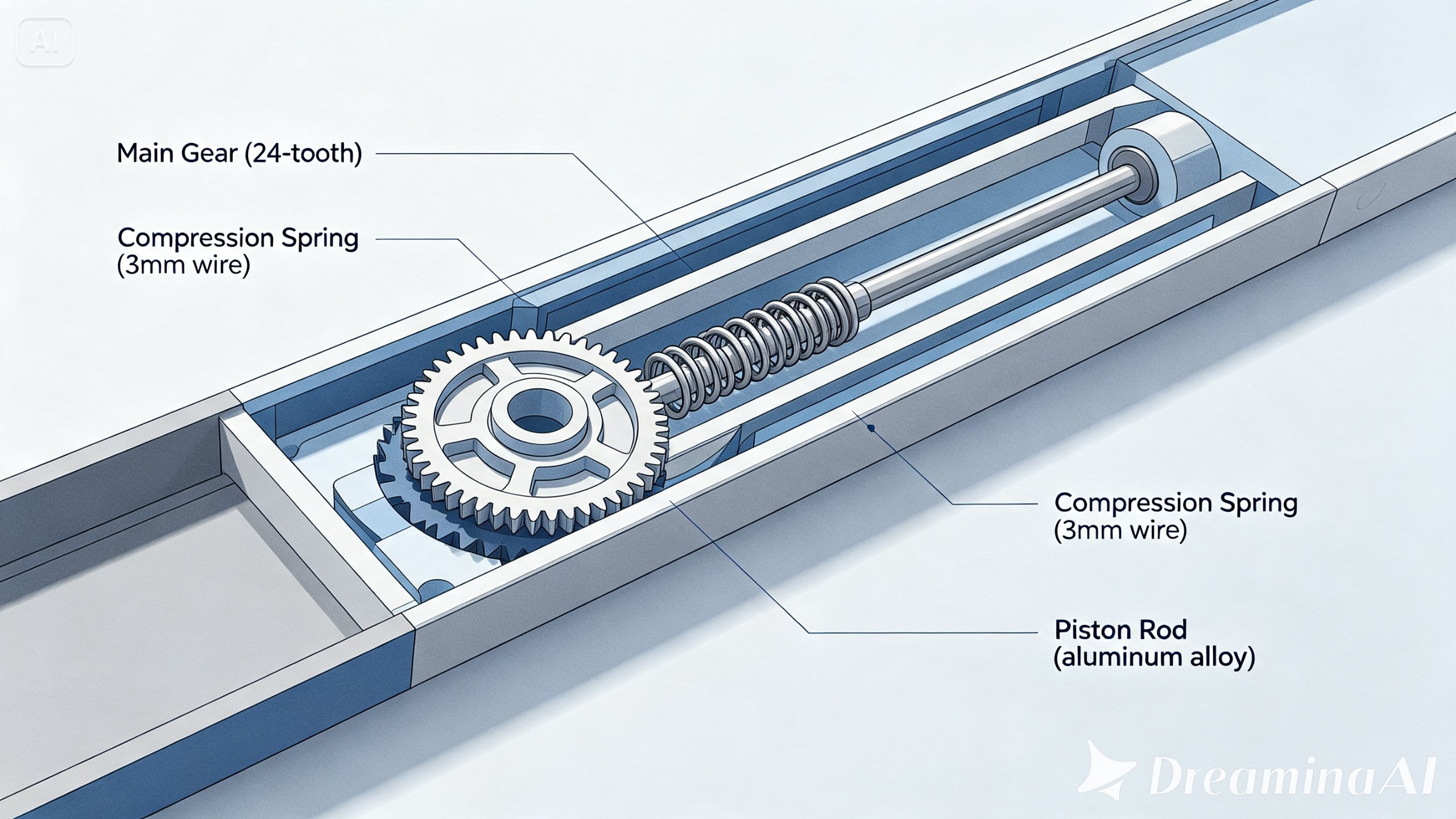
The model renders mechanisms and processes with the specificity that makes educational content actually teach rather than just look educational. Cross-sections show internal workings clearly. Color coding distinguishes components without overwhelming. Angles are chosen to maximize visibility of the process being explained rather than serving aesthetic goals.
Mechanisms remain fully visible throughout explanation
Color usage clarifies rather than complicates
Angles chosen for pedagogical clarity
Visual complexity matches content complexity
Progression that respects cognitive load
Explainers work when they introduce new information at a pace a viewer can absorb. Seedance 2.5 can render sequences where complexity builds gradually, where each step establishes understanding before the next step introduces new elements. That pacing is what transforms a detailed technical description into actually learnable content.
New concepts introduced when previous ones are established
Pacing matches cognitive absorption rate
Complexity builds progressively rather than appearing suddenly
Viewers have time to understand before advancing
Extended duration that allows complete explanation
Single-clip generation extends to 30 seconds, with Ultra-long Video Generation mode reaching 180 seconds. Effective explainers rarely work in short duration — most concepts require time to be properly explained. Extended runway allows complete processes to unfold, multiple steps to be shown, and understanding to develop.
Complete explanations unfold without compression
Multiple steps can be shown sequentially
Transitions between concepts allow absorption
Viewer understanding can deepen through duration
From concept to complete explanation
Step 1: Define your concept and break it into clear steps
Visit Dreamina, sign in, and head to the “AI Video” section. Identify the core mechanism you need to explain and break it into discrete, understandable stages. Click “Add reference image” if you have diagrams or reference materials. Write a concise prompt for the first step that shows the mechanism clearly without introducing unnecessary complexity.
A prompt might read: A cross-section view of a seed germinating, showing water absorption triggering internal chemical changes; use color to highlight the active process; keep the angle focused on internal transformation, pedagogically clear.
Step 2: Generate each explanation step with Seedance 2.5
Select the Seedance 2.5 model. Choose 30-60 seconds depending on how much time your explanation needs. Pick 16:9 for educational contexts. Click Dreamina’s generation icon. Generate each sequential step of your explanation separately, building complexity progressively.
Step 3: Verify clarity and assemble complete explanation
Use Dreamina’s AI editing tools to sharpen educational details. Upscale enhances mechanism visibility and component clarity, while Generate Soundtrack adds subtle ambient audio that supports understanding without distraction. Review whether each step is clear enough that a viewer unfamiliar with the concept could understand it. Once all steps communicate clearly and progression builds logically, assemble them sequentially and export.
When to show mechanism versus abstraction
Some concepts work best through literal mechanism — showing actual gears turning, actual water flowing, actual chemical changes. Other concepts need abstraction — representing data as particles, representing energy as light, representing abstract processes through metaphor. Understanding which approach serves a concept determines how effectively it can be explained.
A good explainer prompt recognizes this distinction. A prompt about how a mechanical clock works should show actual mechanisms. A prompt about how algorithms make decisions might work better through more abstract representation. That choice shapes the entire explanation.
Real-world explainers that work
The best explainers in the wild — TED-Ed videos, 3Blue1Brown animations, Kurzgesagt videos — succeed because they’ve deeply understood what they’re explaining and chosen visual language that serves that understanding. They’re not trying to be beautiful first; they’re trying to be clear. Beauty often results from that clarity.
This standard matters because it means a text to video explainer will succeed based on how well the concept is understood and described, not based on production value or animation sophistication. A creator who deeply understands a concept and describes it clearly will generate far better educational content than someone trying to make something look advanced without understanding the underlying concept.
From concept to complete explanation
Understanding what you’re explaining
Before writing any prompt, understand your concept completely. What’s the mechanism? What’s the simplest way to explain it? What do viewers absolutely need to understand? What details can be omitted without losing essential meaning? That clarity of understanding becomes the foundation for clear explanation.
Describing steps in sequence
Write prompts that break the explanation into clear steps. Rather than one massive prompt describing an entire complex process, write prompts for each distinct stage. “Show how light enters the leaf, using color to highlight light absorption” followed by “Show how absorbed light triggers chemical reactions, using arrows to indicate energy movement.” That sequential description creates progressive understanding.
Testing clarity with external viewers
Generate explainer sequences, then show them to someone unfamiliar with the concept. Can they follow it? What remains confusing? That feedback reveals where explanation needs sharpening. Often a small adjustment to how a step is described or visualized increases clarity significantly.
When education becomes genuinely clear
With Dreamina and its Seedance 2.5 model, concepts that were too complex or too niche to warrant professional explanation can become accessible through generated animated explainers.
A creator who understands something deeply can translate that understanding into visual form that makes it teachable, allowing text-to-video to become an essential tool for making knowledge accessible and understanding clear.





Community Feedback